> For the complete documentation index, see [llms.txt](https://quicly.gitbook.io/help/llms.txt). Markdown versions of documentation pages are available by appending `.md` to page URLs; this page is available as [Markdown](https://quicly.gitbook.io/help/shortening-urls/create-custom-url.md).
# Create custom url
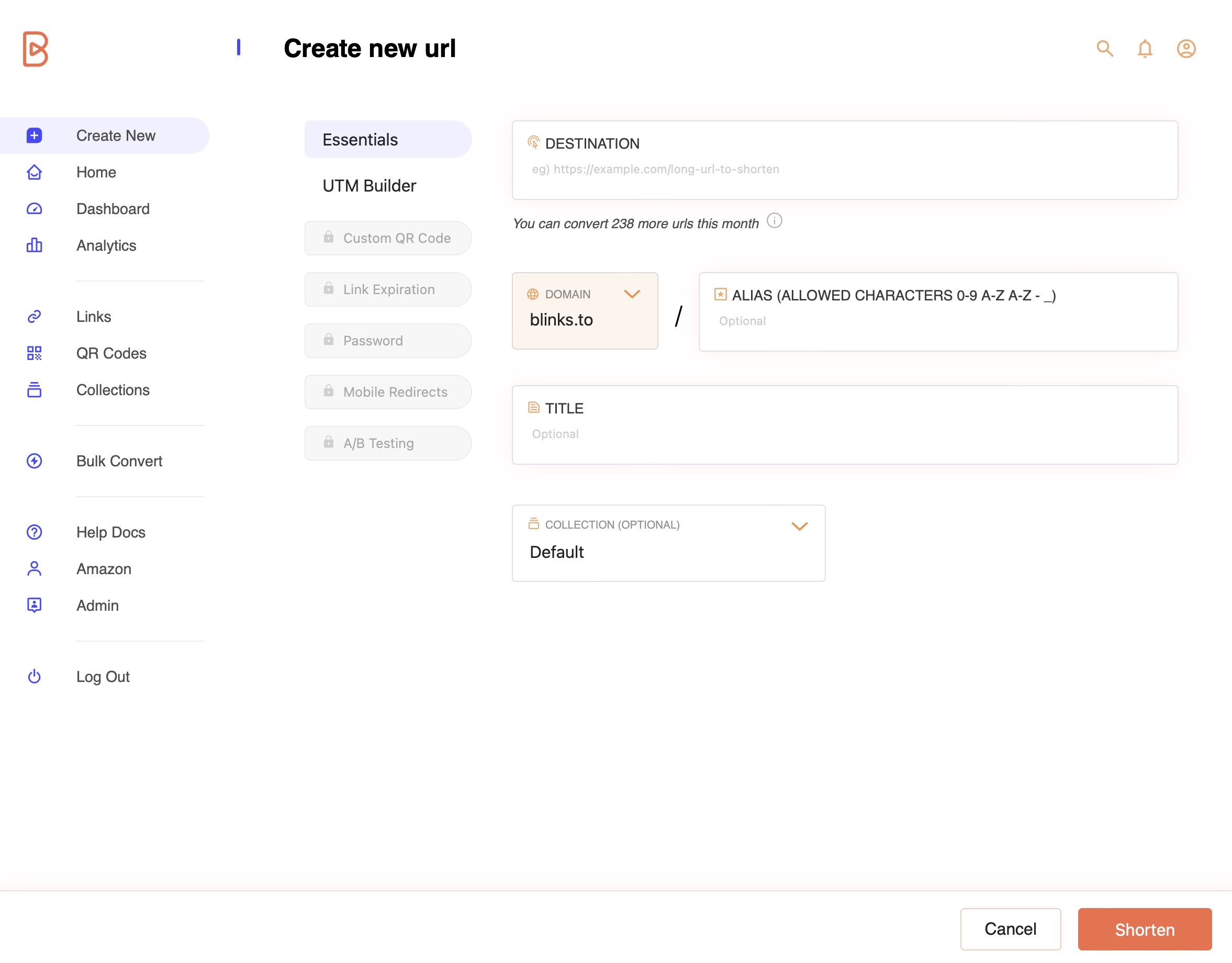
Alternatively, you can opt for a more tailored approach by setting all the custom parameters before the conversion process. This method leads to a personalized shortened URL right from the start.
The '[Create URL](https://blinks.to/create_url)' page, where this takes place, closely resembles the '[Edit URL](https://blinks.to/edit_url)' page. However, in this scenario, you initiate the process by inputting the long destination URL and then proceed to fill in the necessary details before converting it. For comprehensive guidance on how to populate the required fields, please refer to the '[Customizing Your URL](/help/shortening-urls/customising-your-url.md)' section of our help documentation.
Img 1 - Create personalized short url
Once you have made all necessary modifications, click on shorten url to confirm. The url is converted and you are directed to the dashboard.
### Domain Options:
The key distinction between editing an existing URL and creating a custom URL lies in the latter's ability to choose from three free domain options provided by quic.ly or custom branded domain (available in paid plan):
Img 2 - Choose from free domain options or custom branded domain
1. **quic.ly:** The default domain to craft captivating and memorable links for diverse audiences.
2. **my-biz.shop:** Tailored for e-commerce brands, small businesses, and entrepreneurs seeking an online presence.
3. **short-link.pro:** Ideal for professionals projecting expertise, authority, and a serious business demeanor.
{% hint style="warning" %}
Once a URL is shortened, the associated domain cannot be altered. If you wish to change the domain, your options are either to delete the URL or create a custom URL.
{% endhint %}