# Links Management

## <mark style="color:purple;">**Navigating the 'Links' Page**</mark>

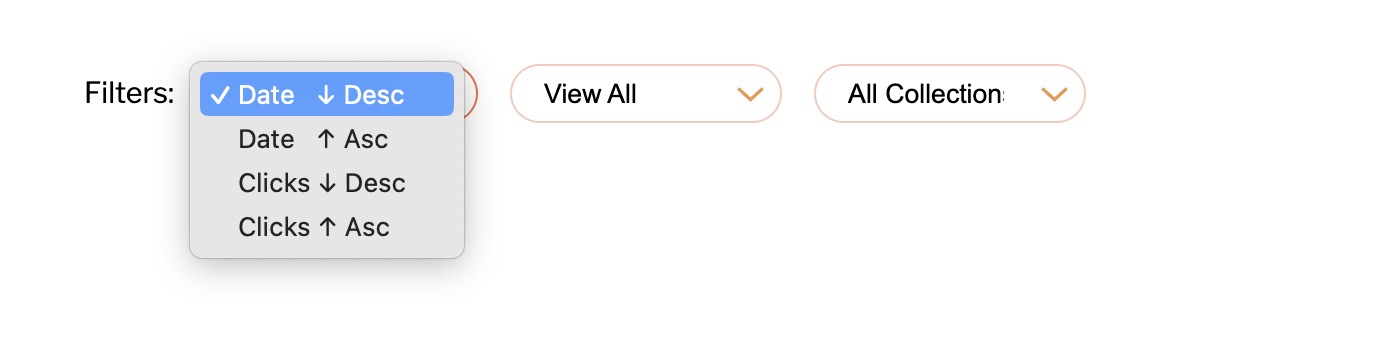
The 'Links' section of our platform serves as the central hub for managing and viewing all your shortened URLs. It’s designed to provide a seamless experience in handling your links, with an array of practical features detailed below:

## <mark style="color:purple;">**Accessing Your Shortened URLs:**</mark>

* This page displays the complete list of URLs you have shortened.
* For easy navigation, the links are paginated, showing 15 entries by default on each page. This number can be adjusted in your profile settings for personalized viewing.

<figure><img src="/files/OC6YV2fUuF2G8dS10E7f" alt=""><figcaption><p>Img 1 - Links - Central hub for viewing and managing your shortened urls</p></figcaption></figure>

## <mark style="color:purple;">**Sorting and Filtering Options:**</mark>

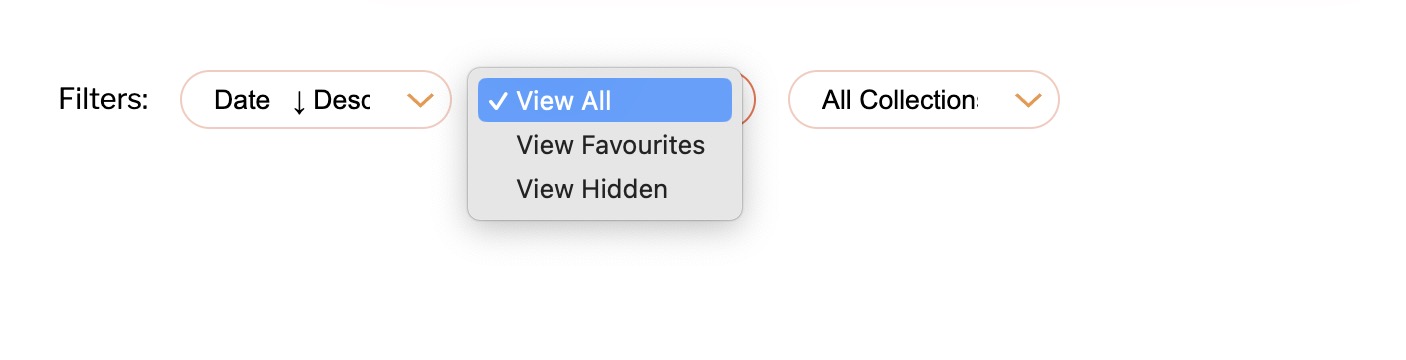
* **Sort Feature:** The links can be organized by the date they were added or by the total number of clicks. You can choose to view this data in either ascending or descending order. By default, the most recent links appear first, allowing quick access to your latest activity.

<figure><img src="/files/qB3nfmGfWFGUisd3Na3K" alt=""><figcaption><p>Img 2 - Sort by Date or Clicks (Descending or ascending)</p></figcaption></figure>

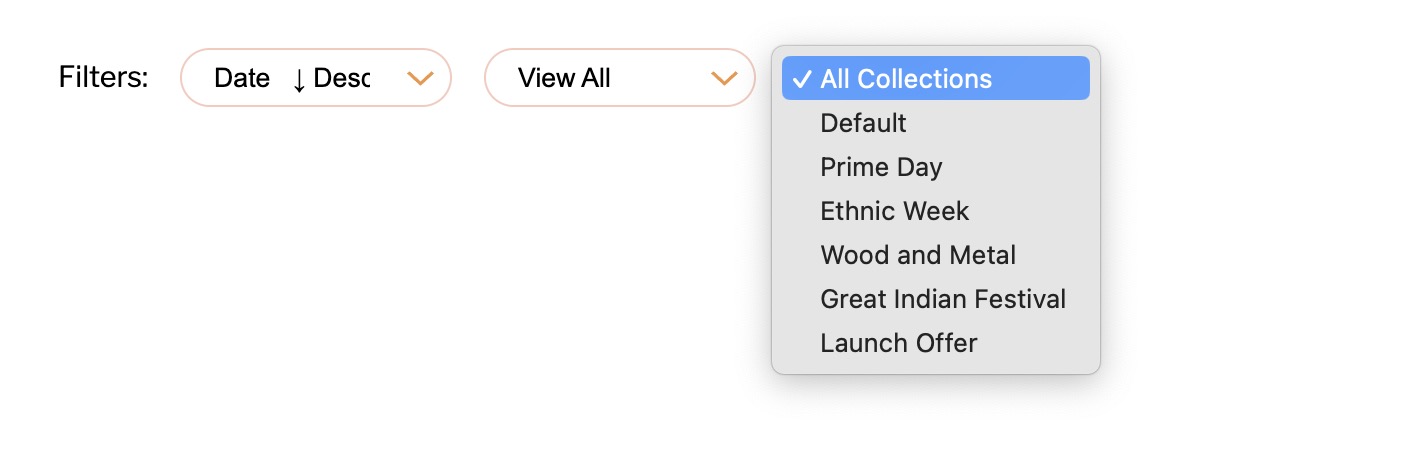
* **Favourites and Visibility Filter:** You have the option to filter links based on favourites or to include/exclude hidden links, with the default setting to display all links.

<figure><img src="/files/XTwfbfLeGhJxAstTOn1o" alt=""><figcaption><p>Img 3 - Filter by Favourites or Hidden urls</p></figcaption></figure>

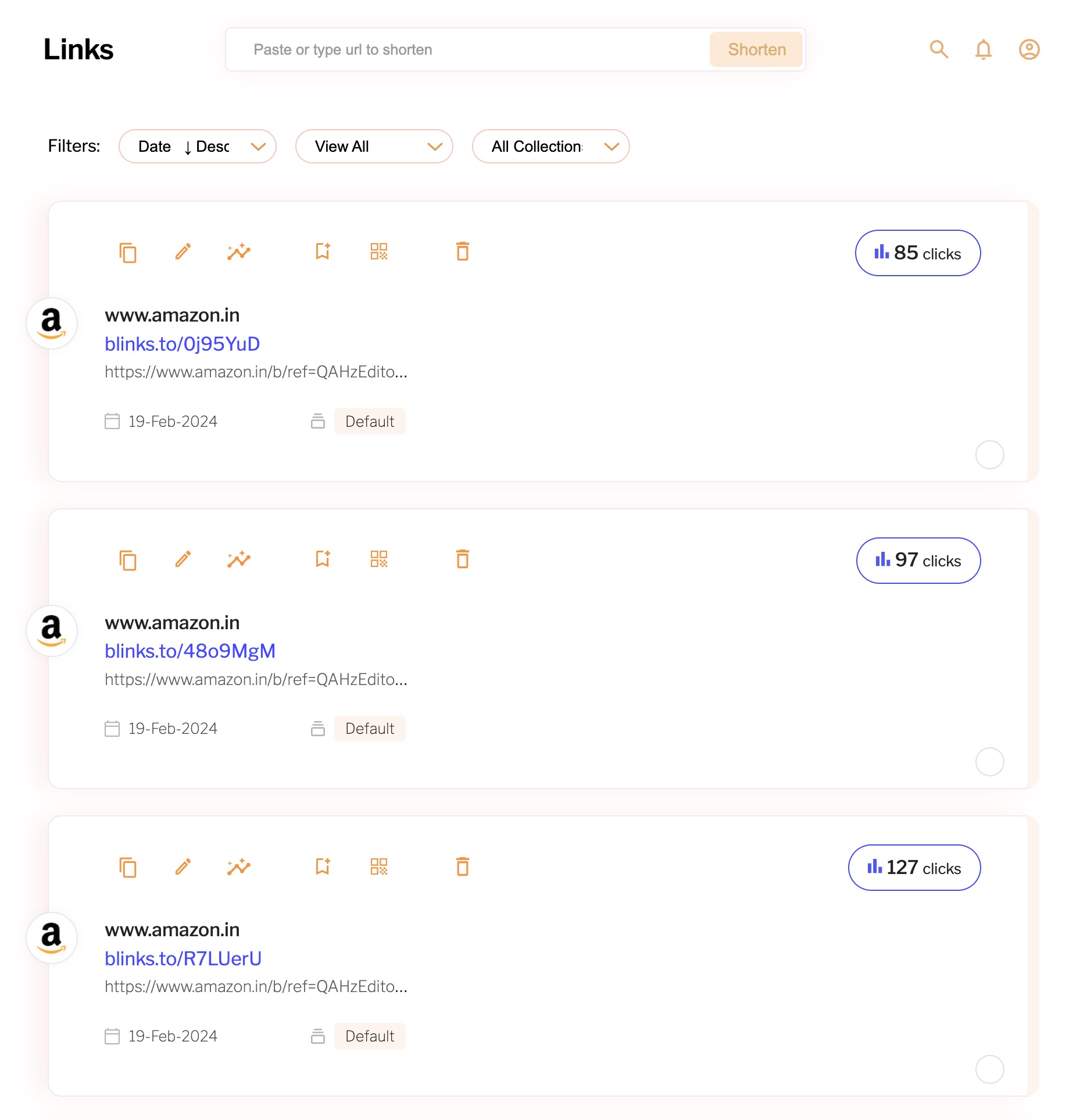
* **Collection Filter:** The links can be categorized based on the collections they are associated with. By default, all collections are shown, but you can easily filter the view to display links from selected collections, aiding in streamlined collection management.

<figure><img src="/files/NjosHBEAbUu55E5NitMx" alt=""><figcaption><p>Img 4 - View all collections or filter by required collection</p></figcaption></figure>

## <mark style="color:purple;">**Enhanced Link Management:**</mark>

* Each entry provides detailed insights and quick actions such as editing, analyzing performance, or even deleting if necessary.
* The interface is intuitive, ensuring that whether you need a broad overview or to deep dive into specific link metrics, the process is just a few clicks away.

By utilising these features, you can maintain control over your digital footprint, ensuring that your shortened URLs are organised and easily accessible for both immediate use and long-term strategy.


---

# Agent Instructions: Querying This Documentation

If you need additional information that is not directly available in this page, you can query the documentation dynamically by asking a question.

Perform an HTTP GET request on the current page URL with the `ask` query parameter:

```
GET https://quicly.gitbook.io/help/links-and-campaigns/links-management.md?ask=<question>
```

The question should be specific, self-contained, and written in natural language.
The response will contain a direct answer to the question and relevant excerpts and sources from the documentation.

Use this mechanism when the answer is not explicitly present in the current page, you need clarification or additional context, or you want to retrieve related documentation sections.